For House producers and DJs who use Ableton

Finish ideas
10x Faster

A complete House arrangement lands around your loop. Every section named, timed and colour-coded, studied from the artists topping the House charts right now.

Buy Now €22
★★★★★ 4.9 / 5ABLETON LIVE · MAC OS & WINDOWS✓ FREE LIFETIME UPDATES
House Session Builder v1.0MAX FOR LIVE
TRY IT — THIS IS THE REAL DEVICE
Click GENRE or ARRANGEMENT, then press BUILD.

The preview builds Tech House Signature. In the device, every style builds its own layout.

63 STYLES · 46 ARTISTS · 7 SUBGENRES

Build it the way they build it.

Arrangement styles inspired by released music. Tools for Live is not affiliated with or endorsed by any artist named. Artist photos from Wikimedia Commons, cropped, credited on each card.

ONLY IN HOUSE SESSION BUILDER

The whole session. Not just the markers.

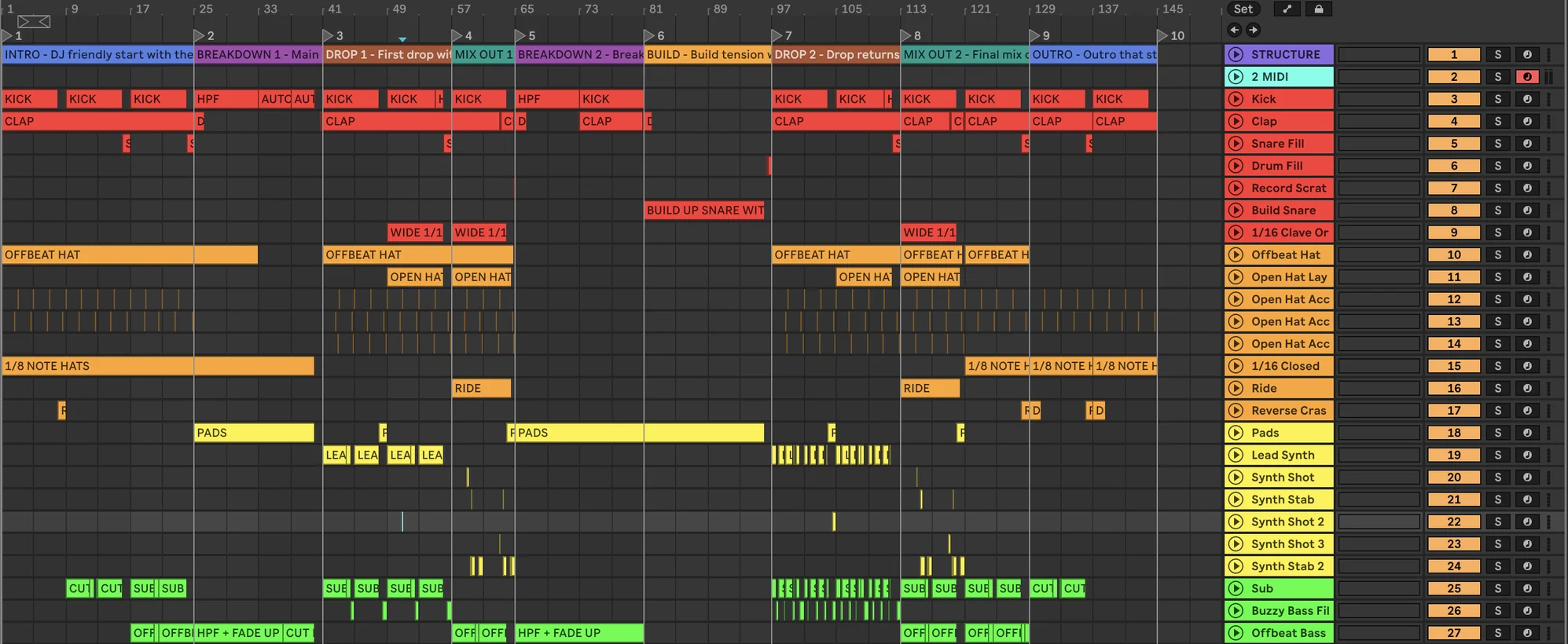
Other tools stop at locators. Clip Mapping lays out every track and every clip of the style you pick, named, coloured and placed bar for bar. You just add the sounds.

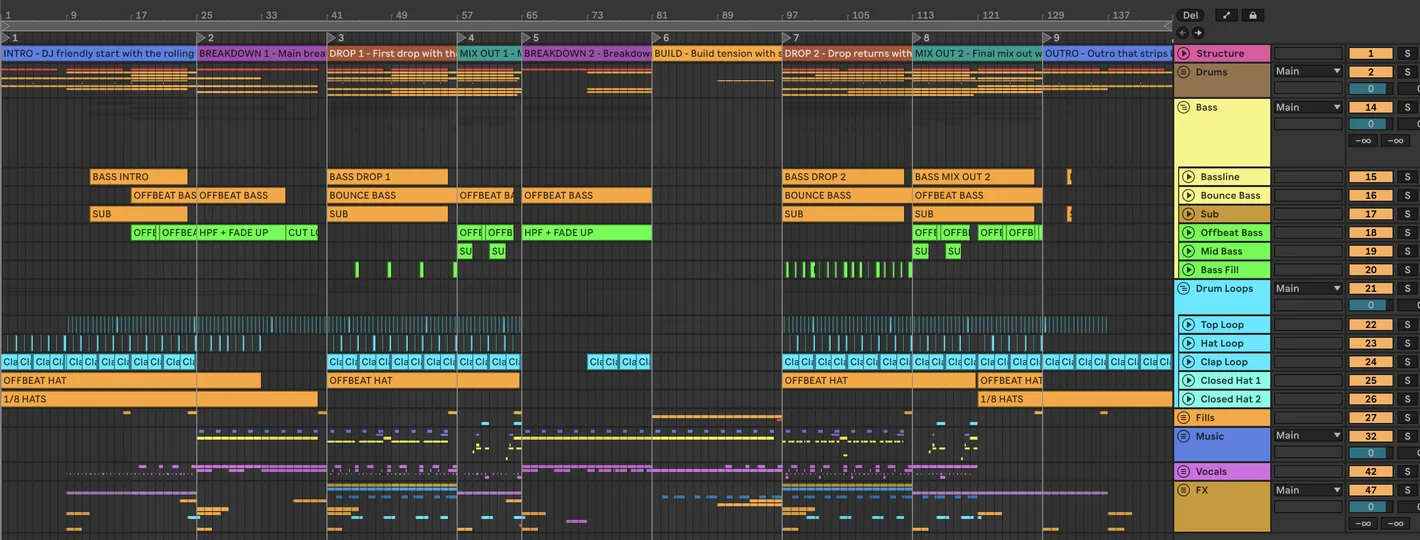
Ableton Live arrangement after BUILD with Tech House Signature: named locators, section clips and mapped tracks across 144 bars House Session Builder reading Added - 36 tracks - 607 clips
CLIP MAPPING ON
1PRESS OF BUILD

A full session in your timeline in seconds.

12NAMED SECTIONS

Locators and section clips on the STRUCTURE track.

29TRACKS, 6 COLOUR GROUPS

Drums, bass, synths, FX and vocals read at a glance.

0OF YOUR CLIPS TOUCHED

A track that already holds clips is never written to.

Each clip tells you what goes there: “HPF”, “PADS SWEEP UP”, “MAIN VOCAL A - HOOK”. 18,771 clips mapped across 63 styles.

TWO WAYS IN

A loop in the folder, or a blank screen.

Either way, one press of BUILD gives it somewhere to go.

Finish the loop

That 16-bar groove from three months ago. Load it, pick a style, and it finally has an intro, a breakdown and a way out.

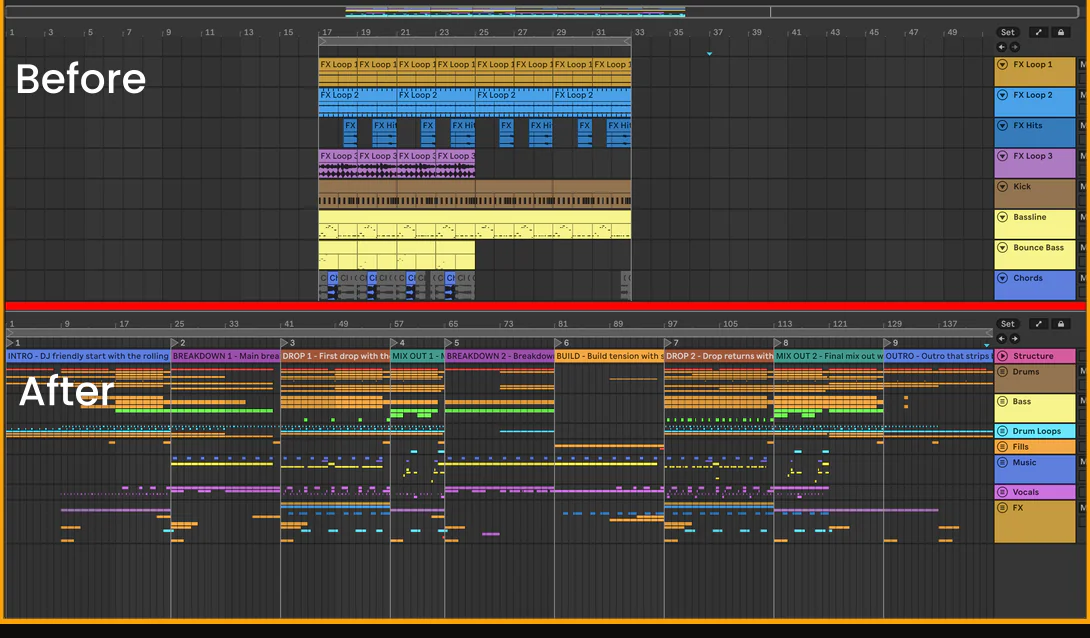
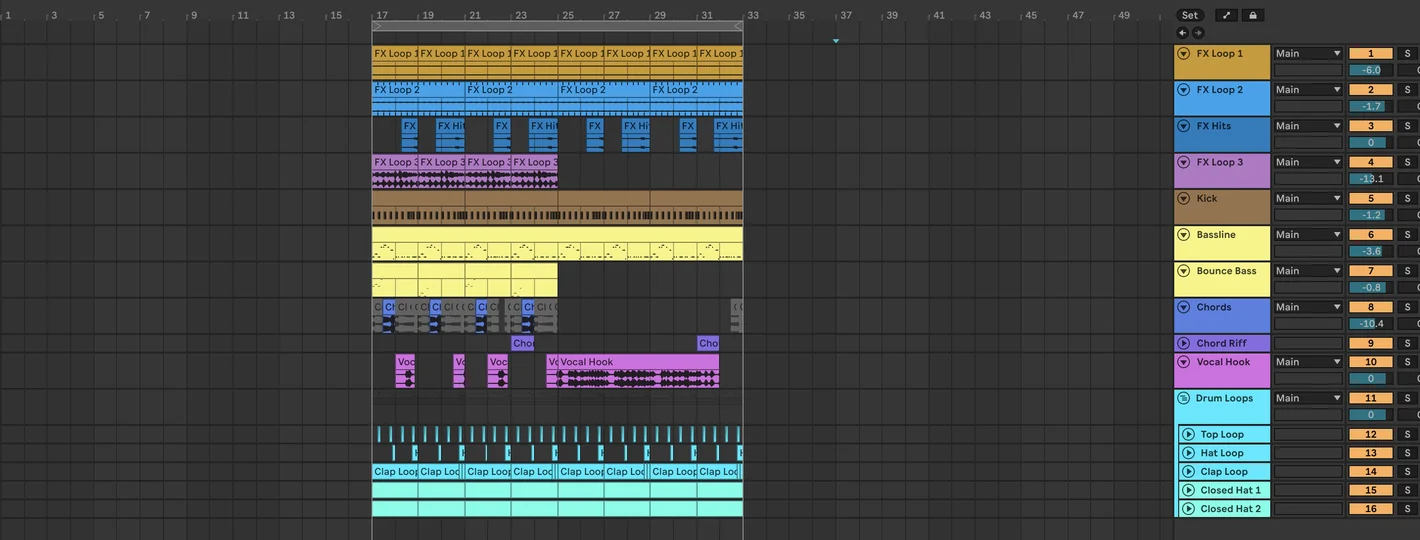
A 16-bar loop before and after the Tech House Signature arrangement is built

Start from nothing

No loop yet? Begin with the whole track already mapped on your timeline, so the empty session never gets the chance to stop you.

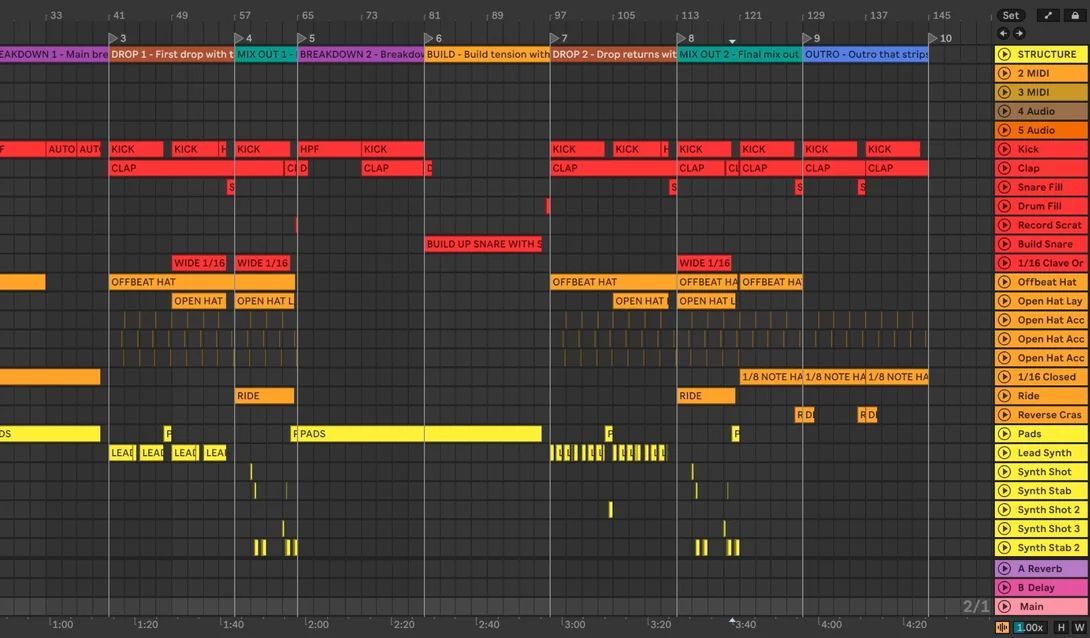
An empty Live Set after BUILD of Tech House Signature with Clip Mapping: named section locators and tracks with named clips placed bar by bar
WHAT LANDS IN YOUR SESSION

Two seconds from blank to buildable.

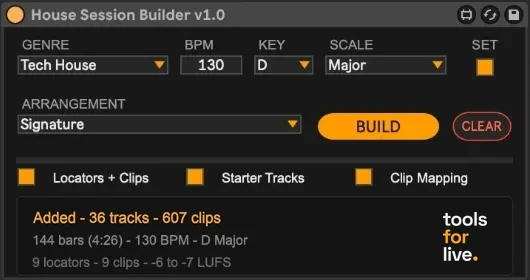
House Session Builder after a build: Added - 36 tracks - 607 clips
Named locators
Labelled section clips
Starter tracks, per style
Clip Mapping: every track, every clip
Key and scale set
7 subgenres, 63 styles
Safe rebuild, adds only what's missing
Two-press CLEAR, Live Undo works

Same idea. One click apart.

It doesn't paste your loop across the timeline for you. It lays out the song around it: named locators and sections and, with Clip Mapping, named empty clips placed bar by bar. You bring your parts in and shape each section your way. It's your track. Nobody knows it better than you.

Full House arrangement after BUILD (Tech House Signature), the loop's parts arranged into groups under named section locators
The same 16-bar loop before BUILD
16 BARS, STUCK
FULL ARRANGEMENT
SOUND FAMILIAR?

Built for the moment you get stuck.

→You've got a groove and nothing around it.
→The loop's been on repeat for an hour and nothing new has been added.
→You don't know how long the intro should run before the first drop.
→You know the sound you want but not the structure that makes it a record.
→You keep jumping between reference tracks to count section lengths.
→Old projects that were “so close” and never got finished.
→Every track you do finish ends up arranged the same way.
→You DJ. You know how a track should move. You just never learned to build one.

If you recognised more than one of those, that's the gap this fills.

STUDIED FROM THE ARTISTS SHAPING HOUSE

Pick the sound. Get the structure.

Tech HouseVocal HousePiano HouseDeep HouseMelodic HouseHard HouseBass House

Every subgenre has a Signature layout plus styles inspired by the released music of 46 artists. FISHER, John Summit, Dom Dolla, Chris Lake, Fred again.., Calvin Harris, MEDUZA, Peggy Gou, MK, Disclosure, RÜFÜS DU SOL, Gorgon City and more.

Artist names describe an arrangement style. Tools for Live is not affiliated with or endorsed by any artist named.

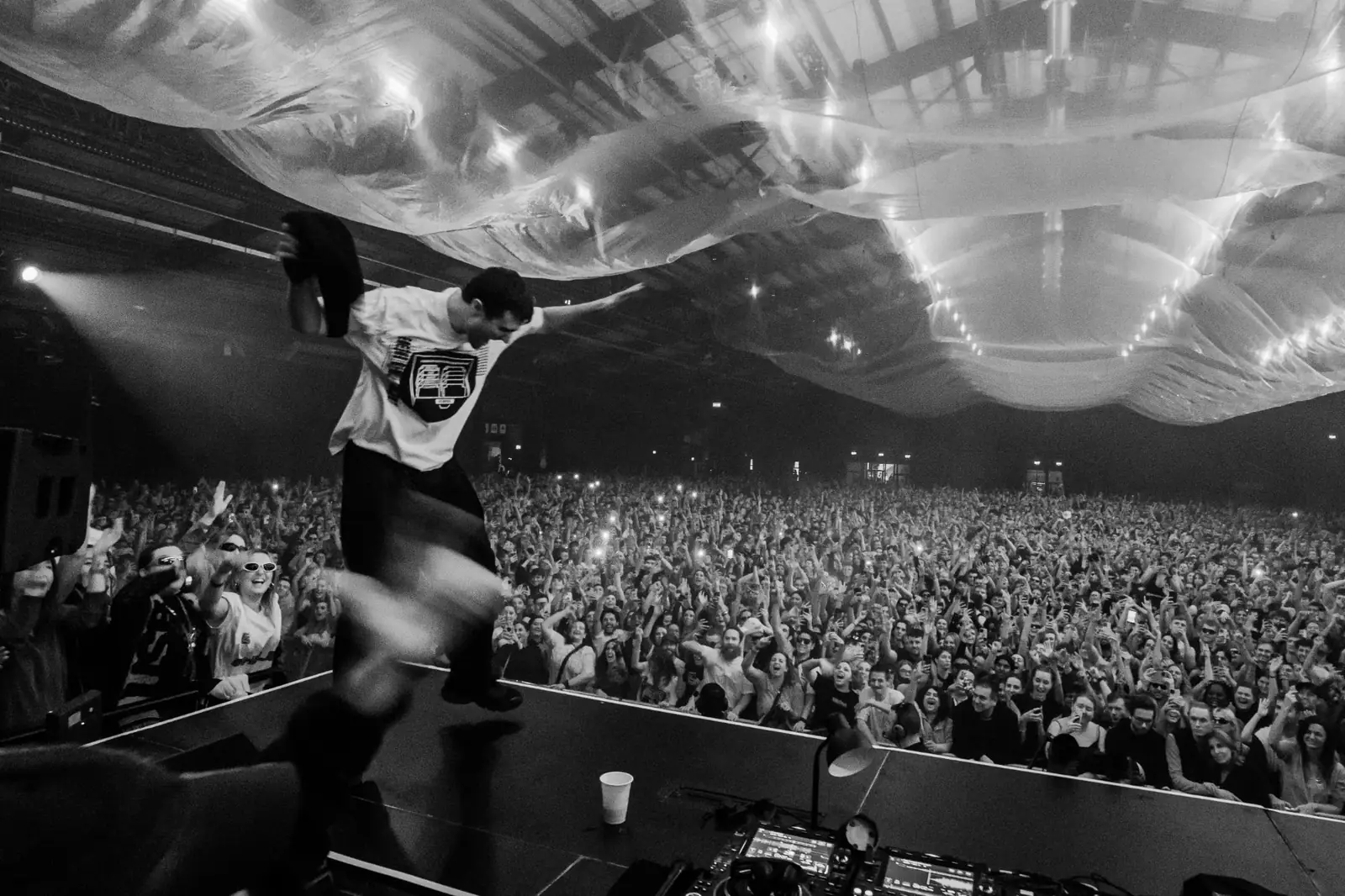
DJ jumping on stage in front of a cheering crowd
FOR DJS

You know when it should drop. Build it that way.

Every section maps to a moment you know from the booth.

From producers using it

★★★★★

been looking for something like this, big ups

- Jamie Cullen
★★★★★

I really needed this right now. thanks guys!

- Marcus Hale
★★★★★

I can see this coming in handy for those that are more visual learners

- Theo Bennett
STUDIED FROM TOP CHARTING TRACKS63 ARRANGEMENT STYLES7 SUBGENRES18,771 MAPPED CLIPSFREE LIFETIME UPDATES

That groove deserves better than the folder.

Pick a style, press BUILD, and give it somewhere to go.

One-time payment. Instant download. Ableton Live required.

INSTANT DOWNLOAD   FREE LIFETIME UPDATES   SUPPORT@TOOLSFORLIVE.COM

Questions

Does it write the music for me?

No. It builds the arrangement: locators, sections, starter tracks and, with Clip Mapping, named empty clips. Every sound, note and transition is yours.

Is it AI-generated?

No. Every style is laid out by hand, section by section, by the Tools for Live team, by listening to released House music.

What is Clip Mapping?

An optional mode that builds the whole session of the chosen style: every track, coloured by group, with empty, named clips placed bar for bar. Leave it off and you get locators and starter tracks only.

Are these the actual artists' projects?

No. They are arrangement layouts inspired by released music, transcribed by ear. No audio, MIDI or presets from any artist are included. Tools for Live is not affiliated with any artist named.

Can I change the arrangement after it builds?

Yes, completely. Shorten sections, extend them, delete them, rearrange the whole thing. It's a foundation, not a finished product.

Does it process my audio or MIDI?

No. It never changes a track that already holds clips. It only lays out the session structure around what you're making.

Does BUILD change my tempo?

No. BPM is shown for reference. With SET on, it sets your key and scale so your MIDI clips follow.

Will this make my tracks sound formulaic?

It gives you structure, not musical content. Two producers building on the same style will write completely different tracks.

I'm a DJ, not a producer. Is this for me?

Yes. It gives you the one thing tutorials don't: a finished track's shape on your timeline before you write a note.

What do I need to run it?

Ableton Live on macOS or Windows.

What do I actually get?

The .amxd device file, an installation guide and user manual (PDF), and free lifetime updates as new styles and features are added.

Is it a one-time payment?

Yes. €22 once, with free lifetime updates. Every new style and feature is included.

Tools for Live is not affiliated with, endorsed or sponsored by any artist, label or company named on this site. Artist names are used only to identify the arrangement style a template is modelled on; all names, trademarks and photos belong to their respective owners. Our templates contain no audio, samples, recordings, notes or lyrics from any artist. Ableton and Ableton Live are trademarks of Ableton AG. Legal notice · Copyright or trademark concerns: support@toolsforlive.com